Chapter 1: How the loop works · Lesson 2 of 7 · 7 min read
Tools: how the model acts
The model never runs code. It asks, you run, you report back. Get that contract right and most bugs disappear.
The model can't run code, open files or call APIs. When we say an agent "uses a tool", what actually happens is a three-step handshake:
- You describe each tool to the model: a name, what it does, and its parameters.
- The model asks for a tool by name, with arguments.
- Your code runs it and reports back the result as a new message.
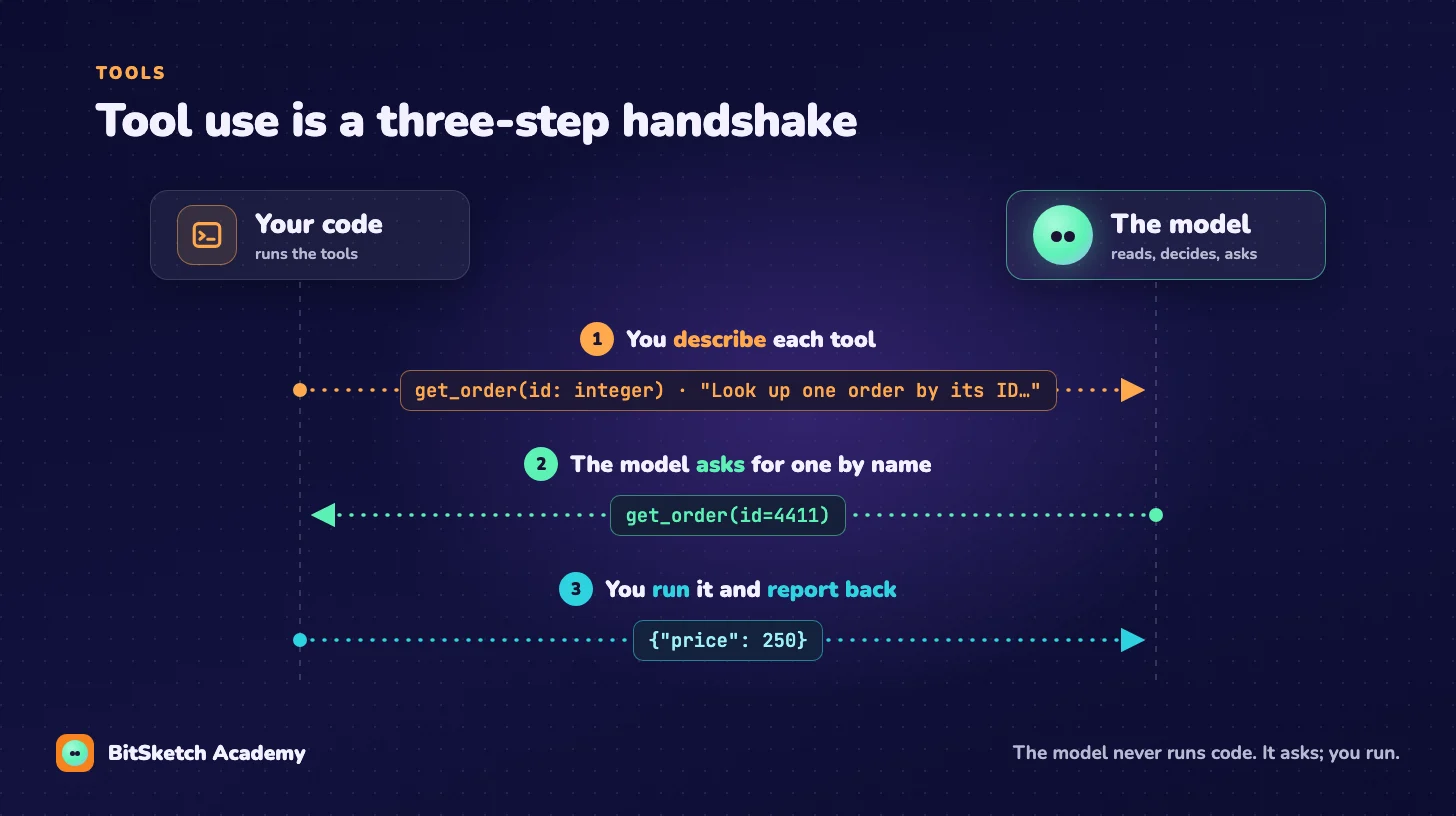
Describing a tool
Most model APIs take a JSON Schema per tool. The description is the most important field: it's the only thing the model reads when deciding whether to call it.
get_order = {
    "name": "get_order",
    "description": (
        "Look up one order by its numeric ID. "
        "Returns price (USD), status and created_at. "
        "Use this before answering any question about a specific order."
    ),
    "parameters": {
        "type": "object",
        "properties": {
            "id": {"type": "integer", "description": "Order ID, e.g. 4411"}
        },
        "required": ["id"],
    },
}
Write descriptions for a new teammate who has never seen your system: what it returns, when to use it, and when not to.
Errors are results too
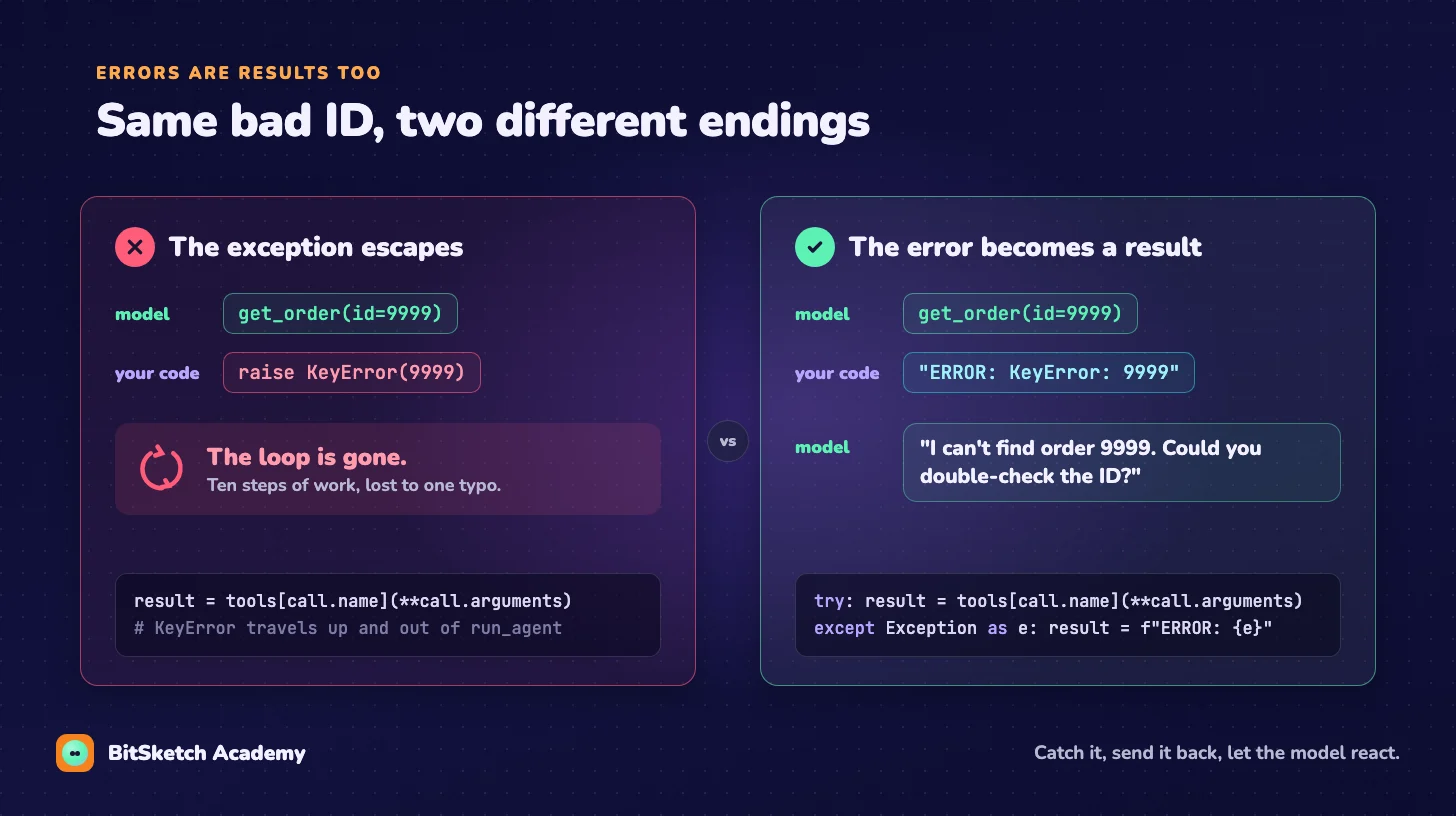
Here's the most common beginner bug. A tool throws, the exception kills the loop, and the agent dies mid-task:
result = tools[call.name](**call.arguments) # raises KeyError, loop is goneInstead, catch the error and send it back to the model as the tool's result. Models are good at recovering when they can read what went wrong:
try:
    result = tools[call.name](**call.arguments)
except Exception as e:
    result = f"ERROR: {type(e).__name__}: {e}"
Now "order 4411 not found" becomes something the model can react to ("let me check the ID with the user") instead of a crash.
Three rules that prevent most tool bugs
1. Validate arguments before running. The model can produce arguments that match the schema's shape but not your reality: an ID that doesn't exist, a date in the past. Check them and return a clear error.
2. Keep results small. Everything you return goes into messages and is resent on every later step. A tool that dumps a 2,000-row table will slow the agent down and push older context out. Return what the model needs, plus a hint if there's more ("showing 20 of 2,000 rows; filter by status to narrow down").
3. Separate reading from doing. get_order is safe to call ten times. refund_order is not. Mark tools that change the world, because lesson 3 puts a brake on exactly those.
Recap
- The model asks; your code runs. The model only knows what you send back.
- Tool descriptions are prompts. Write them carefully.
- Turn exceptions into results so the loop survives.
Next: our loop still has while True in it. Let's give it brakes.